How to organise Secret Santa for a remote team
Last updated: 11 October 2026
A remote exchange needs two plans: one for the gift and one for getting it to the recipient. A shared office location cannot solve delivery, time zones or someone being away. Keep the process clear enough that colleagues can take part without sharing personal details with the whole team.
Agree who can take part and where
Invite people to opt in. Ask the organiser to confirm participating locations before choosing a budget: a gift that works for a UK-only team may not be practical for colleagues in several countries. Use the recipient’s local retailer where possible rather than assuming cross-border postage is straightforward.
For international exchanges, confirm currencies, retailer delivery coverage and any extra costs before the draw. Do not ask someone to cover unexpected postage or charges after they have agreed a spending limit. If delivery is impractical, offer a local handover or a separately agreed alternative.
Set a delivered budget and realistic deadlines
Choose a total limit and say whether it includes postage and wrapping. For example, a £20 delivered budget means a £19.99 item with paid postage will not fit. CheckMyBasket catalogue filters use item prices, so buyers still need to check the final checkout total.
Use a joining deadline, a draw date, an arrival deadline and a reveal date. Leave room for a missed delivery or an item made to order. Check the retailer’s current dispatch estimate for the chosen option; do not assume a personalised gift travels as quickly as a ready-made one.
Keep delivery details out of the group chat
Do not collect home addresses in a public wishlist, invitation message or broadly shared spreadsheet. Agree a private method with your team, such as an approved one-to-one channel or an existing workplace delivery process. Give people a choice if they would rather use a pickup point or work address, where available.
CheckMyBasket does not arrange shipping or collect delivery addresses for you. Keep addresses outside the product’s shared viewing links, and share only what the buyer needs. Ask your workplace about its own privacy and retention rules instead of leaving an address list accessible indefinitely.
Create the group and send a clear invitation
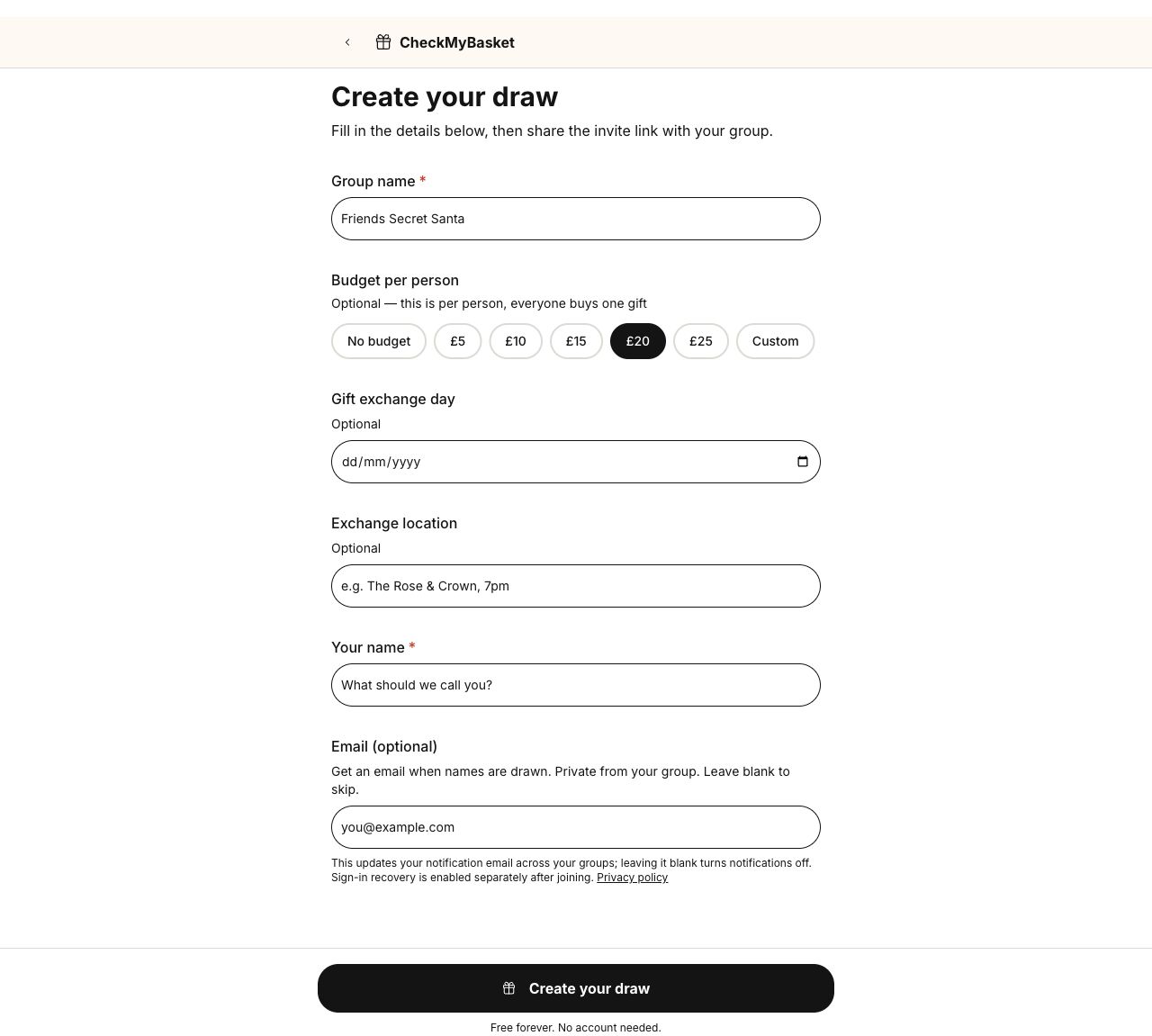
Create your draw with a recognisable team name, budget and the reveal date if known. Use the exchange location field to describe the agreed remote plan, such as “video call; delivery by 10 December”. Explain the arrival deadline separately in the invitation.
A remote-team invitation you can copy
Replace the placeholders, check that the team agrees the private delivery process, and send it through your usual work channel. The joining link belongs in the invitation; home addresses and private matches do not.
Replace each bracketed placeholder with your own details. For invitations, use your group invitation link.
Hi team! We’re organising an optional remote Secret Santa. 🎁

Total budget: [amount, including/excluding delivery]
Please join by: [date]
Names drawn on: [date]
Gifts should arrive by: [date]
Reveal: [date, time and time zone, or flexible opening plan]

Join the group: [group invitation link]

Add a few wishlist ideas within the budget. Please use [our agreed private delivery channel] for delivery details; keep addresses and private matches out of the group chat. Contact [organiser] privately if delivery or attendance is difficult. No pressure to join!
Make the reveal work across time zones
Choose a short call that people can reasonably attend, or let people open their gifts independently and post a thank-you later. Say whether givers reveal themselves after opening. A camera or a public photo should be optional; do not put colleagues on the spot.
If a parcel has not arrived, let that participant join the conversation without announcing who their Santa is. Follow up privately about the order and delivery estimate. A late parcel is easier to handle when there is a named organiser and a fallback handover plan.
Use a simple remote organiser plan
Keep deadlines and general arrangements on the printable plan. It has no address or assignment fields, so you can share the planning details without turning it into a list of private matches.
- Participation and location coverage agreed before the draw.
- Delivered budget, arrival deadline and reveal arrangements explained.
- Private delivery channel agreed; no addresses in shared wishlists.
- Member list and exclusions checked before names are drawn.
- Alternative handovers available for absence or delayed parcels.
Your printable planning sheet
Download the remote-team planner (PDF)One-page A4 sheet. Print at actual size and fill it in by hand.